Boosts
Make a Boost. Make any site yours. No account needed.
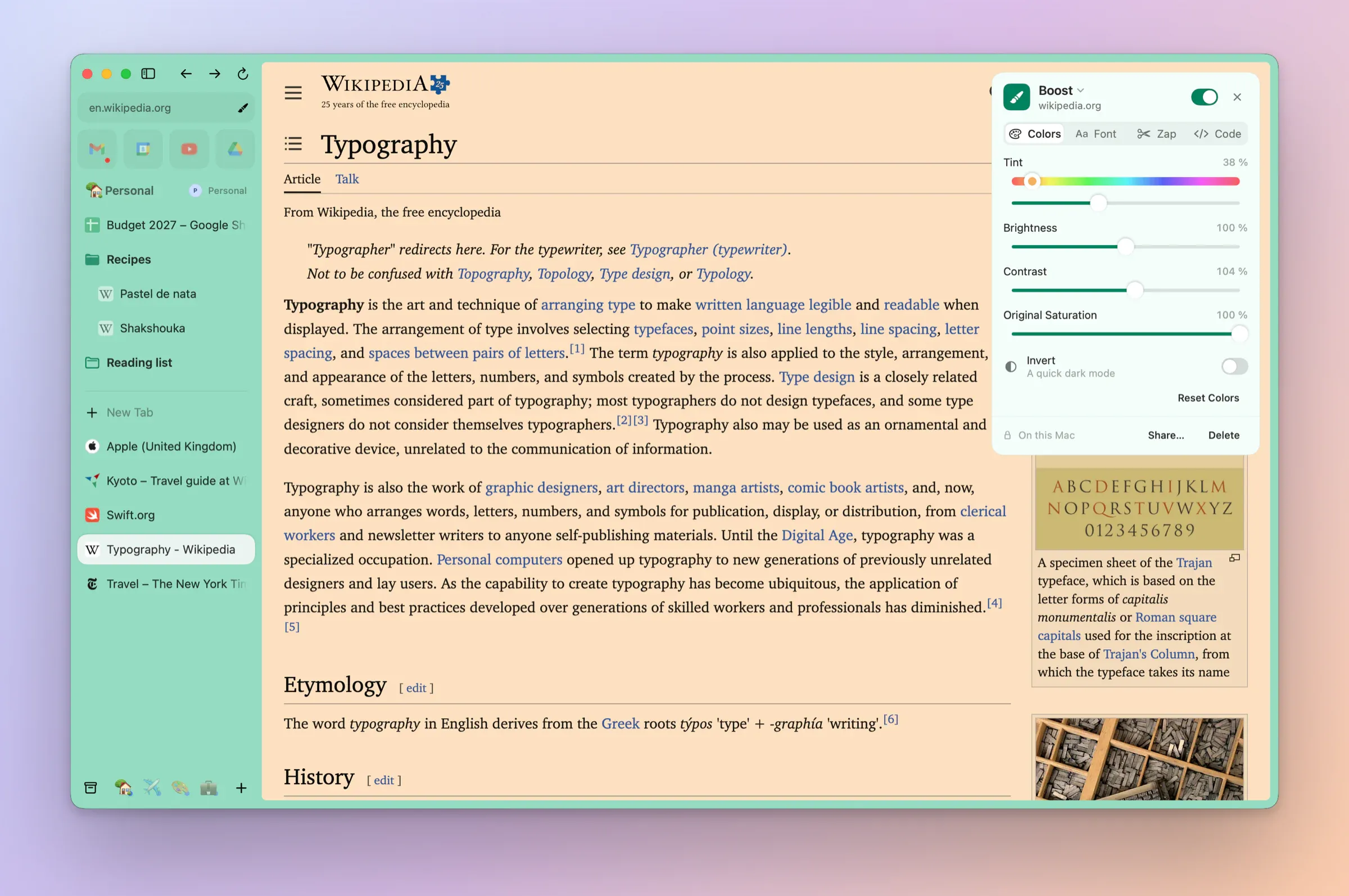
ColoursNew in 0.1.2
A tint, brightness and contrast for a site, or Invert for a quick dark mode.
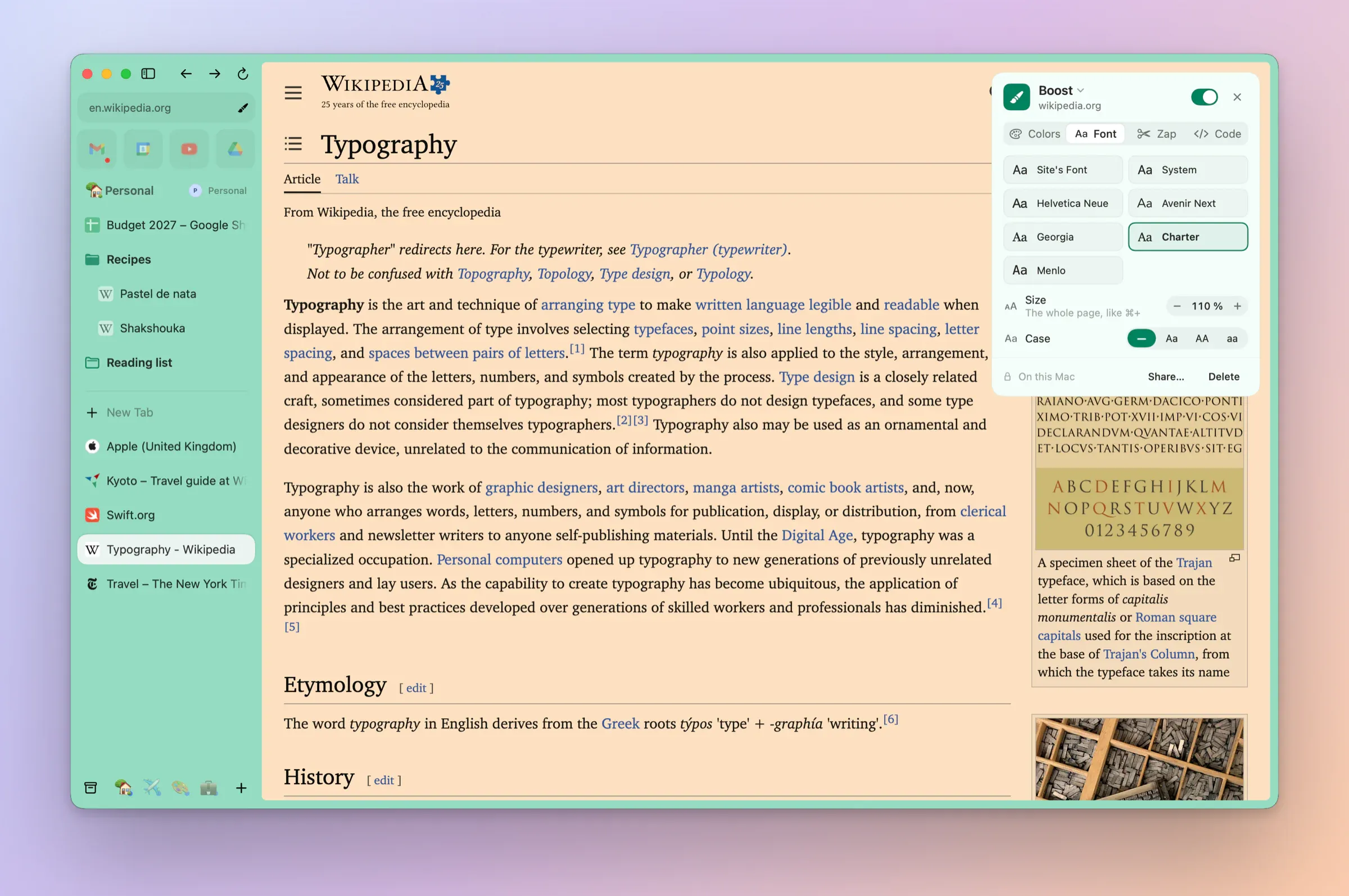
FontsNew in 0.1.2
A macOS font and a size, with the layout's proportions kept.
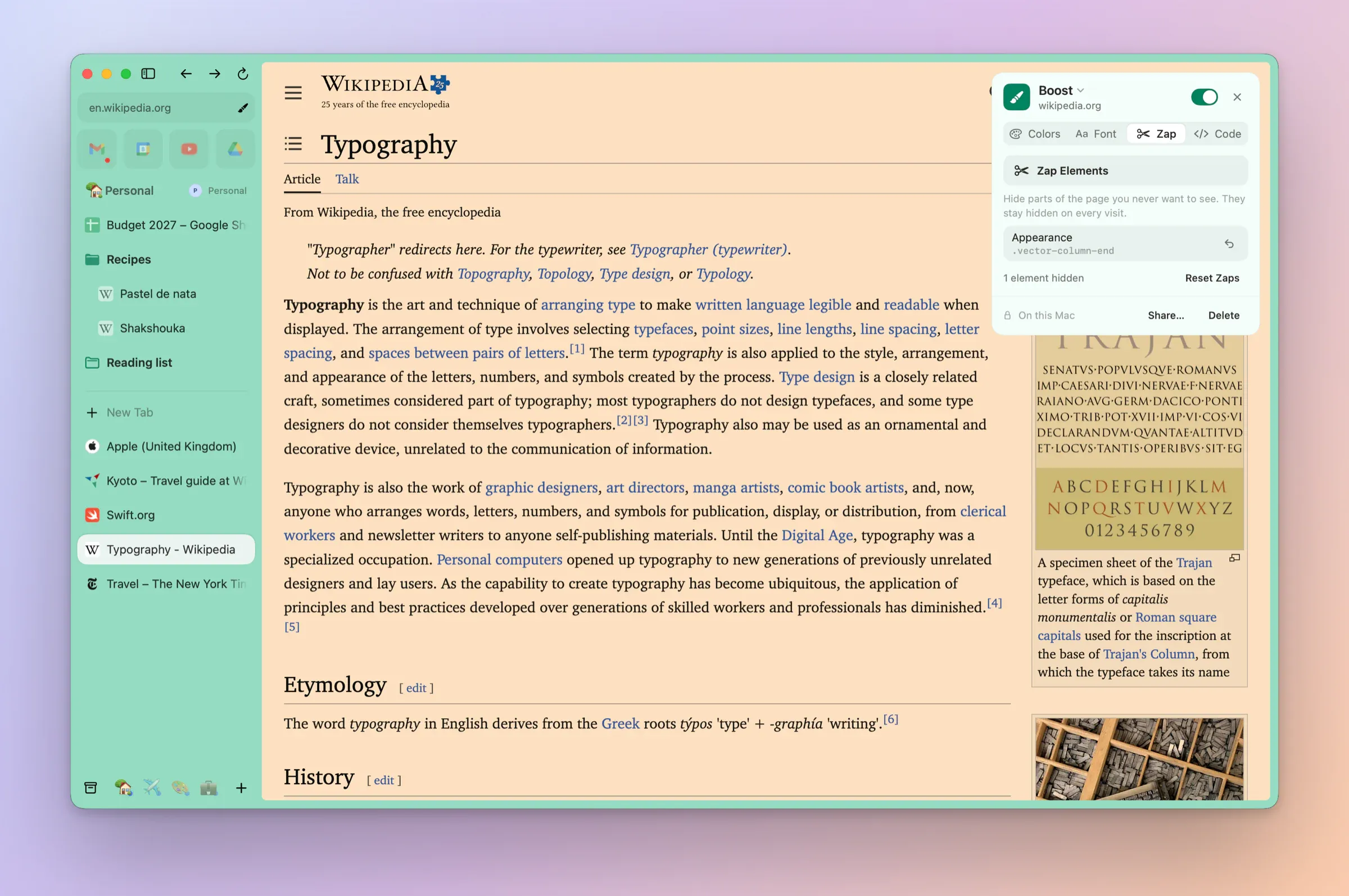
ZapNew in 0.1.2
Click away the parts of a page you never want to see. One click brings them back.
Your own codeNew in 0.1.2
Add CSS and JavaScript for a site, from Site Controls.
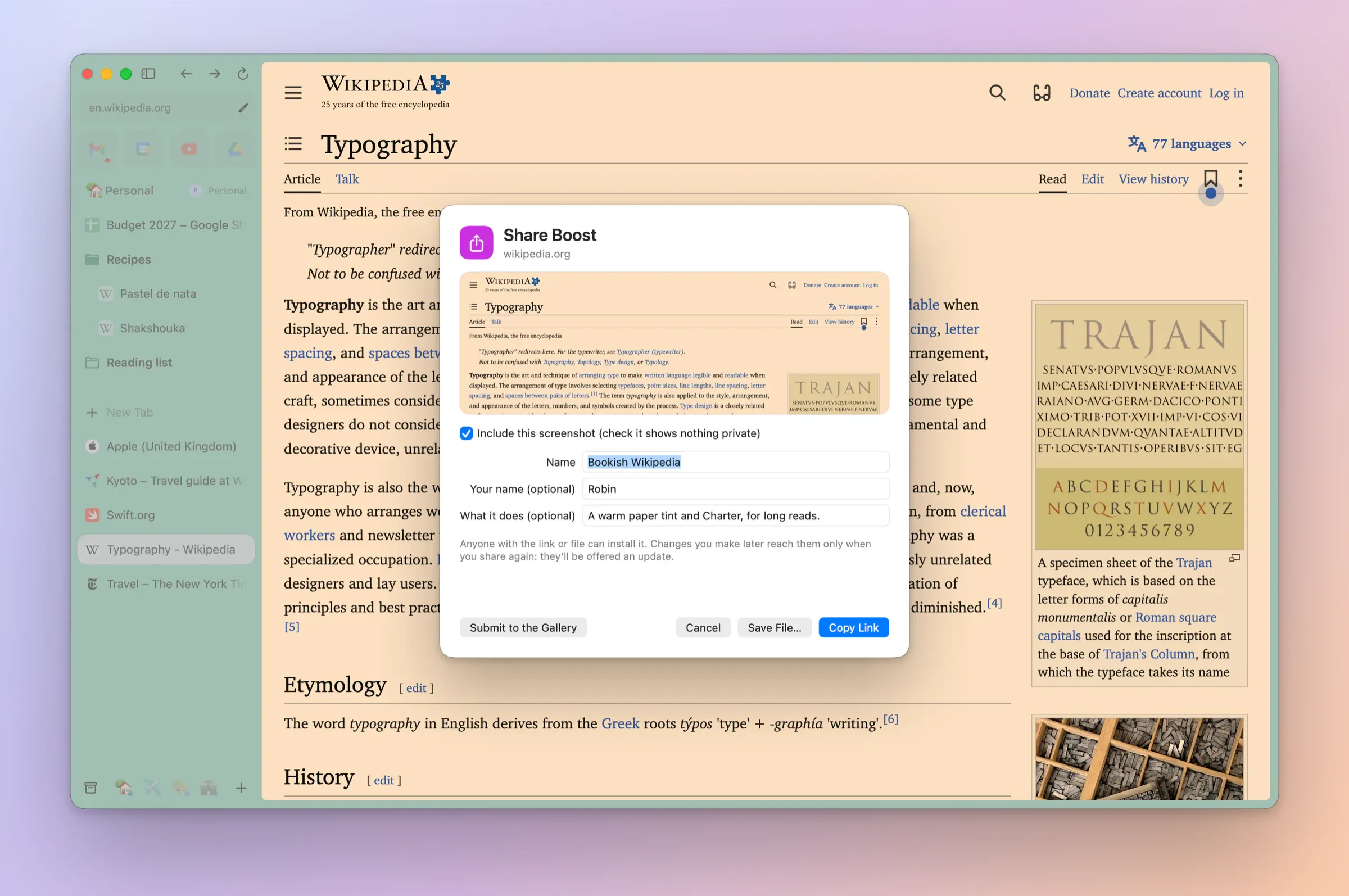
Share a BoostNew in 0.1.2
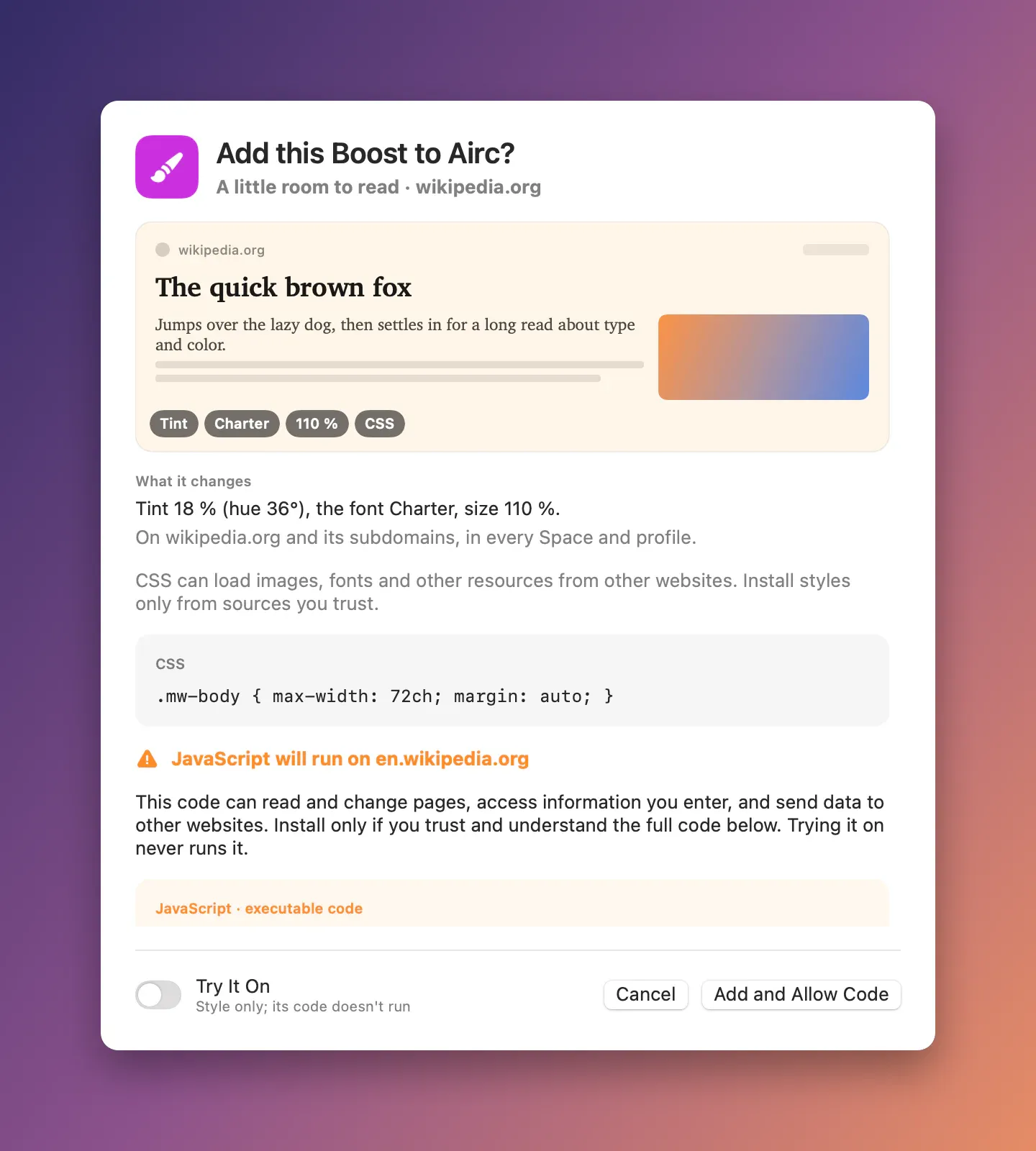
Share one as a file. Opening it shows its site, its changes and all its code before anything installs.
Boost linksNew in 0.1.3
Copy Link puts the whole Boost after the # of an aircbrowser.com/boost link, which browsers never send anywhere, so nothing is uploaded.
Boosts syncNew in 0.1.27
With iCloud sync on, your Boosts follow you to your other Macs. Their JavaScript never runs just because it arrived: a quick confirm naming the Mac you allowed it on, or Show Code first when no Mac did. Settings → Sync → Sync Boosts.
Updates from the authorNew in 0.1.3
Share a Boost again and everyone who added it is offered the new version. Arc never updated installed copies.
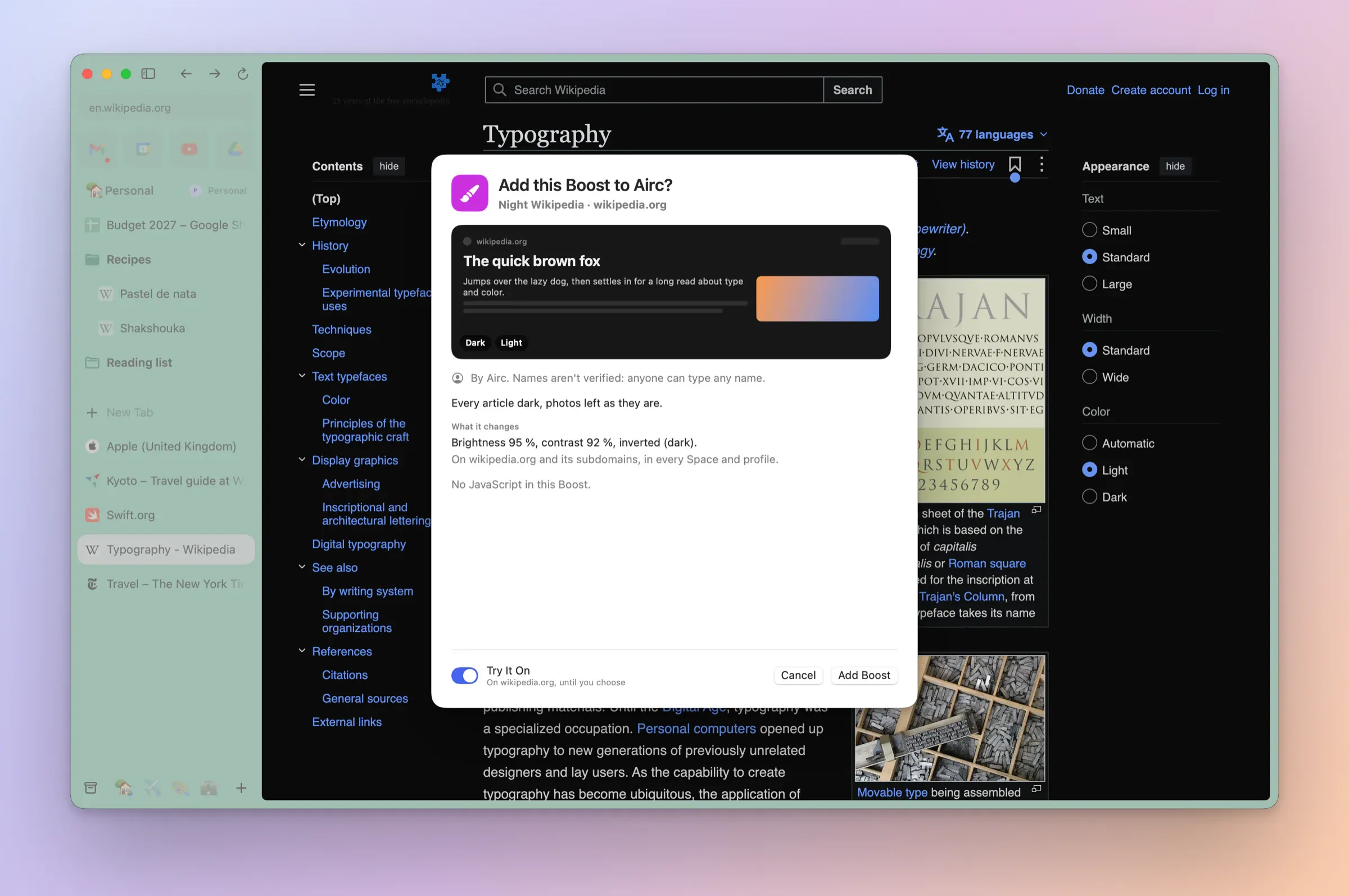
Try It OnNew in 0.1.3
See a shared Boost's colours, font and CSS on the page before you add it. Its JavaScript never runs until you do.
Boost GalleryNew in 0.1.3
Airc's starter Boosts, style only: a calmer Wikipedia, a night one, a comfortable Hacker News and more.
Closer to Arc'sNew in 0.1.3
Boosts apply in a page's same-site frames too, and a Boost's size uses page zoom.
Pages in your Space's coloursNew in 0.1.3
Every page gets its Space's theme as Arc's --arc-palette CSS variables, so Boosts and pages written for Arc's colours work in Airc.
Following the Space liveNew in 0.1.3
Change the Space's colour, go dark or move the tab, and those pages follow at once.
Light and dark pagesNew in 0.1.23
Pages use their Space's light or dark look, so sites with a dark style show it in a dark Space. When macOS switches on its own, or you change the theme or move a tab, open pages follow at once, without a reload.
Community BoostsNew in 0.1.4
The Boost Gallery on aircbrowser.com lists Boosts from other people to try, and offers Update when one you installed has a newer version.
Review code before it runsNew in 0.1.14
Import a .airc-boost file and its JavaScript is shown in full, in colour, under “This Boost runs code on …”. A Boost with code is added off until you turn it on, and files that load code from elsewhere are refused.